Live Sync to Google Sheets: Every Submission, a New Row
Sync every MobileForm submission to Google Sheets automatically, with field values, timestamps, reference IDs, and retry handling for reports.
The Problem: Submissions Stuck Inside the App
Your crew fills out forms all day. Inspections, quotes, sign-offs, safety checks. The data is clean, timestamped, GPS-tagged — but it lives inside MobileForm. If your project manager wants to pivot on it, your accountant wants to tally it, or your client wants a running log, someone has to remember to export a spreadsheet, download it, and paste it somewhere.
That works once. It doesn't work every day.
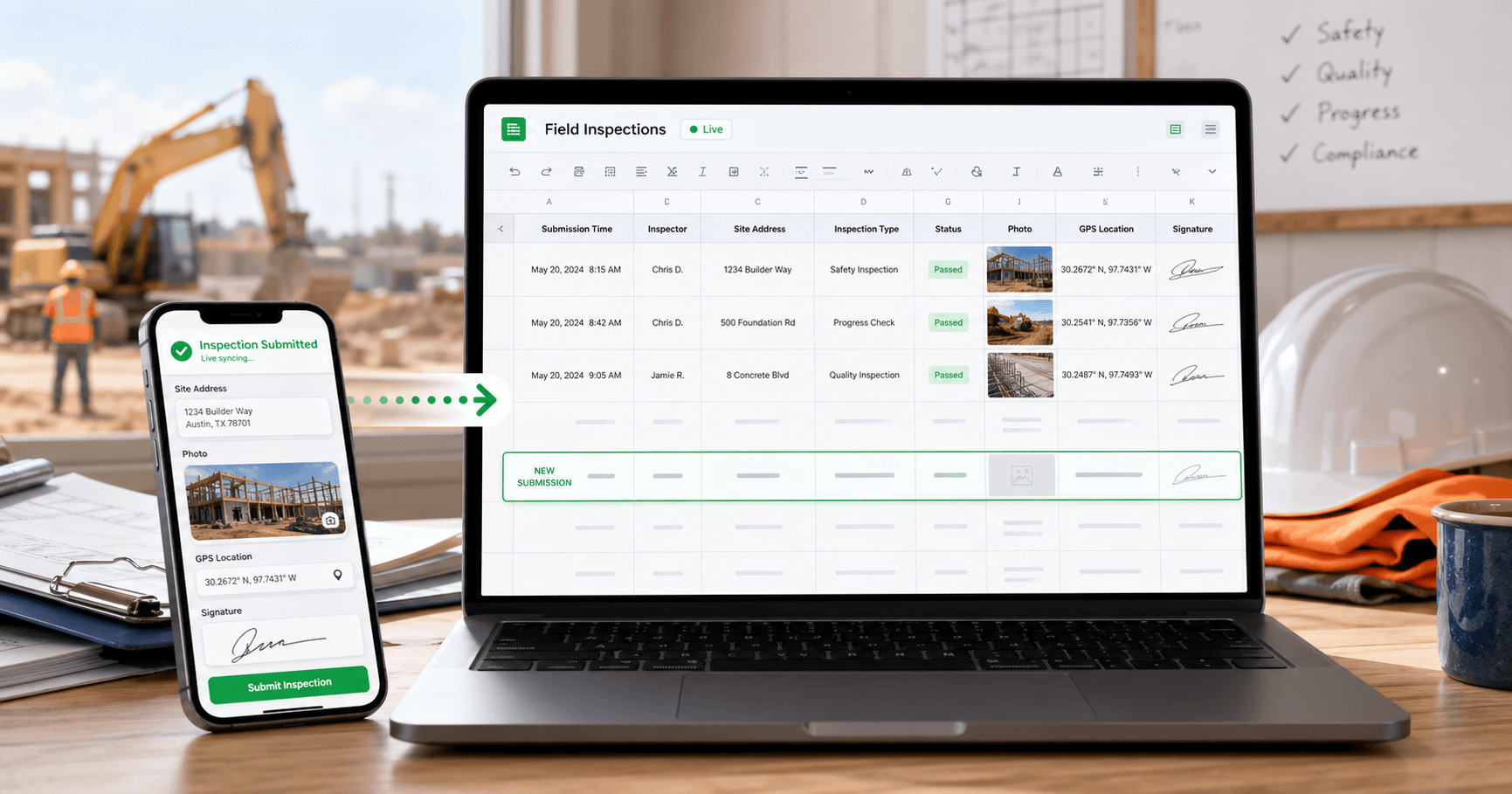
Google Sheets live sync closes the loop. Connect your Google account, turn on sync for a form, and every submission your team files shows up as a new row in a Google Sheet you own — automatically, in real time.
How It Works
The integration is deliberately simple. Three steps, most of it one-time setup.
- Connect Google once. Go to Settings → Integrations and click Connect Google. You'll approve MobileForm's access on Google's consent screen. We only ask for the minimum scope needed to create and write to sheets — we can't see the rest of your Drive.
- Enable sync on a form. Open any form in the builder and find the Sync to Google Sheets section. Click Enable. MobileForm creates a brand-new Google Sheet in your Drive named after the form, writes the header row, and links it to this form.
- Fill forms like normal. Every time a submission is completed — from anywhere, online or after offline sync — a row appends to the sheet within seconds. The row includes the submission timestamp, a reference ID, and one column per form field in the order you built them.
No picker. No manual mapping. No copy-paste.
What the Sheet Looks Like
When you enable sync, MobileForm creates a sheet titled "MobileForm — [your form title]" in your Google Drive root. It has a single Submissions tab with a header row laid out like this:
| Submitted At | Ref ID | Inspector | Site Address | Hazards | Photos | Signed |
|---|---|---|---|---|---|---|
| 2026-04-22T14:32:01.000Z | A3F9C2E1 | J. Martinez | 421 Oak St | Fall, Electrical | 3 photos | Signed |
Each field type is formatted for spreadsheet-friendliness:
- Text, textarea, number — written as-is
- Checkbox — Yes / No
- Select / dropdown — the chosen option
- Rating — the numeric value
- GPS —
lat, lngcoordinates you can paste straight into Google Maps - Photo — a count like 3 photos (the actual images stay inside MobileForm and the PDF)
- Signature — Signed when a signature exists
- Line items — total with currency and item count, e.g. $1,240.00 (4 items)
The point is that the sheet stays scannable. You don't get a wall of base64 image data or raw JSON — you get the kind of row you'd actually pivot on.
One-Way Sync, On Purpose
The sync is one-way: MobileForm writes to the sheet, and that's it. If someone on your team edits a cell, adds a column, renames the tab, or deletes the whole file, MobileForm doesn't care — the next submission still appends cleanly (unless the file is truly gone, in which case sync fails and you'll see it in the retry log).
Why one-way?
- Your source of truth is the submission, not the spreadsheet. Submissions have photos, GPS, signatures, and a full audit trail. A sheet cell doesn't.
- No accidental data loss. A contractor can't delete a row in the sheet and erase an inspection. The real record is safe in MobileForm.
- Freedom to slice the data. Add formulas, pivot tables, charts, named ranges, VLOOKUPs — do whatever you want in the sheet. MobileForm appends at the bottom and never touches your analysis.
If you need to re-export historical submissions into the sheet, use the one-time Excel export on the submissions page and paste the rows in. Live sync covers everything submitted after you enable it.
Offline Submissions Sync Too
If your crew is out of signal, MobileForm works the same way it always has — submissions save to the device and upload when connectivity returns. The Google Sheets sync runs after that upload completes, on the server side. So an inspection filled at 8 AM in a canyon with no bars shows up as a spreadsheet row the moment the phone reconnects.
The sync is triggered by the same server-side webhook that sends your PDF email reports (if you have those enabled). Each integration runs independently — a Sheets failure won't block the email, and vice versa.
What Happens When Things Go Wrong
Google's API can hiccup. A refresh token can expire if you change your Google password. The sheet can get moved. We designed for all of that.
Automatic retries. If a sync fails, MobileForm schedules a retry with exponential backoff — 2 minutes, then 4, 8, 16, 32, up to a cap of 60 minutes. Up to six attempts per submission before we mark it as failed.
Visible status in the builder. The Google Sheets section of each form shows a Recent syncs panel with the last 10 attempts. You'll see status (success / pending / failed), timestamp, and any error message.
Manual retry. Any failed sync has a Retry button right next to it. One click re-runs the sync for that submission.
Safe disconnect. If you disconnect your Google account, any forms that had sync enabled are automatically flipped to disabled — no more silent failures. Your historical sheet data stays put in your Drive.
What You Can Do With It
Once your submissions are flowing into Sheets live, the rest of the Google ecosystem opens up:
Auto-calculated dashboards
Use =COUNTIF, =SUMIFS, and pivot tables to tally inspections by site, crew, or week. Your dashboard updates itself as the field team submits.
Shared reporting with clients
Create a new tab that references the Submissions tab with a filter — share that tab with a client so they see only their rows, in real time. No more "can you send me an updated report?"
Apps Script automation
Add a trigger that emails a manager when a specific checkbox column hits No. Or push matching rows into a second sheet, a calendar event, or a Slack message.
BI tool connections
Google Sheets connects to Looker Studio, Tableau, Power BI, and most BI tools out of the box. Point your dashboard at the synced sheet and you have a live feed of field data with zero custom ETL.
Accounting and quoting flows
Sync quote submissions into a sheet, run totals, flag unsigned quotes, and mark deals that converted — all in the spreadsheet your finance team already uses.
A Few Honest Limits (v1)
We'd rather ship the smallest useful version than something big and fragile. A few things the first release intentionally doesn't do:
- Pick an existing sheet. v1 creates a new sheet when you enable sync. You can rename or move it after it's created, but you can't point MobileForm at a sheet you already have.
- Rewrite headers when fields change. The header row is written once on sheet creation. If you add, rename, or reorder form fields later, new rows will line up with the old header. The workaround: disable sync, re-enable it, and MobileForm will create a fresh sheet with the new headers.
- Update rows when a submission is edited. Edits create a new row rather than overwriting the old one. The Ref ID column lets you group or dedupe if you need to.
- Form Groups (multi-step forms). Forms that belong to a group don't sync to Sheets, even when filled on their own. A group run can email one combined PDF instead.
Tell us which of these matters most to you.
Availability and Pricing
Google Sheets live sync is a Pro feature. If you're on the free plan and want to try it, upgrade from the pricing page — your forms and submissions migrate automatically.
Nothing to install. Nothing to configure on Google's side. Just connect, toggle on, and submit.
Ready to try MobileForm?
Free offline form builder for field teams. No app install needed.
Get started freeMore from the blog
Dispatch Inspections to Your Field Crew: New in MobileForm
Send forms to field workers, prefill dispatcher-only fields, and track jobs with offline submit, cancellation, reassignment, and email and phone notifications.
FeatureForm Groups: Fill Multiple Linked Forms in One Site Visit
Link a main form to related check forms, reuse shared fields, guide crews through one site visit, and export the whole set as a PDF bundle.