MobileForm vs GoFormz: A Simpler, Cheaper Alternative for Small Teams
Compare MobileForm and GoFormz on offline access, pricing, setup time, PDF export, and fit for small field teams that need simpler mobile forms.
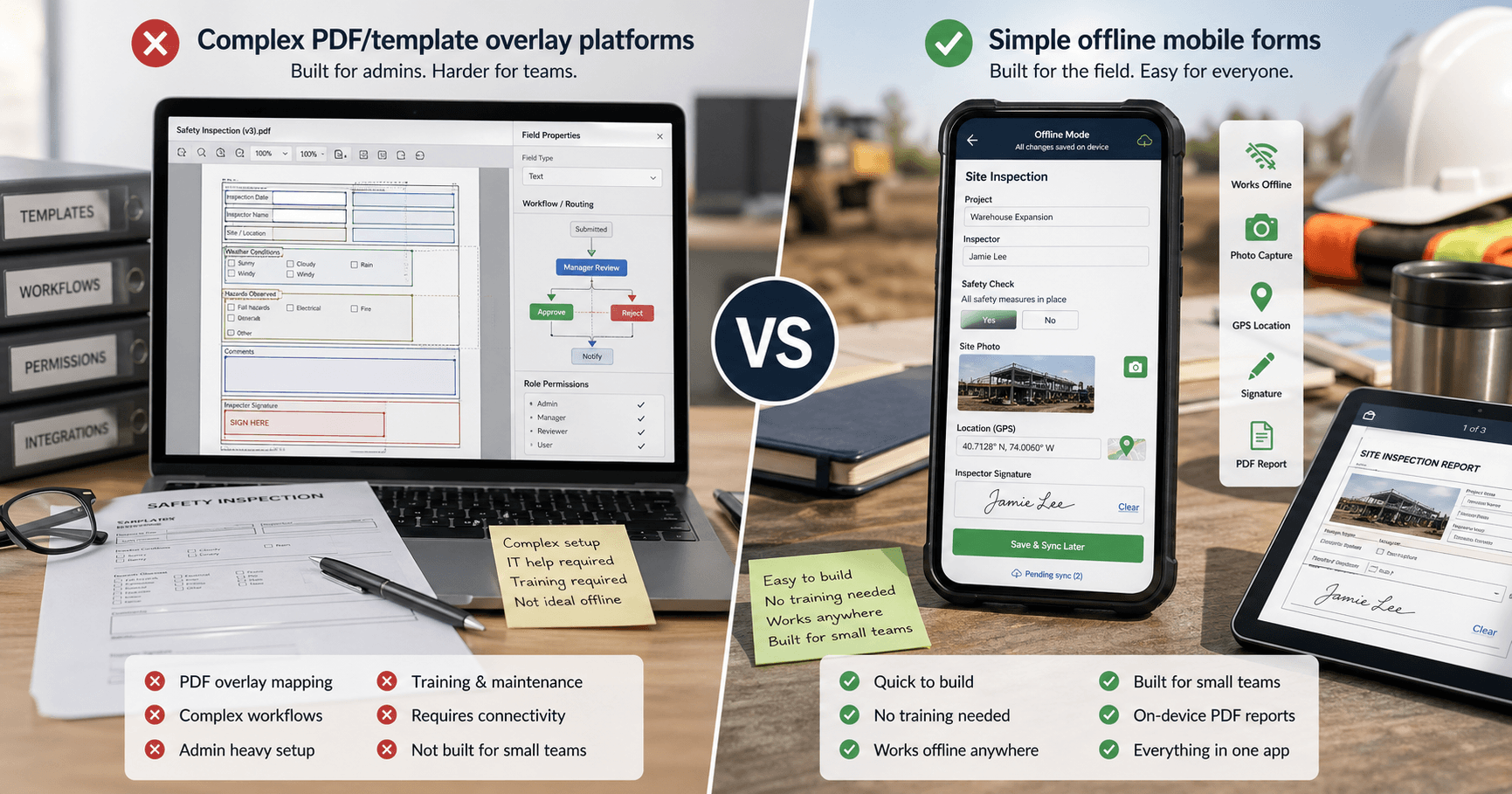
GoFormz: A Solid Enterprise Platform — With Package Pricing
GoFormz is one of the most well-known mobile forms platforms on the market. It lets teams digitize paper forms, collect field data, automate workflows, and connect submitted data to business systems.
The important update: GoFormz no longer publishes the old $20–45/user/month plan structure. Its current public pricing page lists a Starter package at $499/month or $4,999/year for up to 10 users, plus an Enterprise plan with custom pricing. The pricing page lists up to 30 templates and unlimited internal submissions. Its plan card and FAQ currently disagree on API and Public Forms allowances, so confirm those limits and included connectors directly with GoFormz.
That makes GoFormz a strong fit when you need:
- Paper-exact forms — upload an existing form and keep the original layout
- Workflow and conditional logic — routing, approvals, and structured field behavior
- App-based offline work — GoFormz documents offline work through its mobile apps, with sync when a connection returns
- Integrations — Starter includes several common connectors; Enterprise unlocks the broader integration suite
- Guided deployment — GoFormz says Starter deploys in days, with onboarding commonly measured in weeks
For small teams, the package model matters. A 5-person team on GoFormz Starter pays the same public package price as a 10-person team: $499/month if billed monthly, or $4,999/year if billed annually.
Source note: GoFormz pricing and offline details were reviewed on October 11, 2026 and checked against the official GoFormz pricing page, GoFormz offline forms page, and GoFormz mobile app FAQ. Pricing changes often, so confirm directly with the vendor before buying.
Feature-by-Feature Comparison
| Feature | MobileForm | GoFormz |
|---|---|---|
| Price | Free tier; Pro $19/user/mo; Team $42/mo | Starter $499/mo or $4,999/yr for up to 10 users; Enterprise custom |
| Free plan | Free forever (3 forms, 50 subs/mo) | Free signup/trial path advertised; paid public plan starts at Starter |
| Offline mode | Full offline in browser (PWA) | Offline through GoFormz apps; syncs when connected |
| Photo capture | Built-in with auto-compression | Built-in |
| GPS tagging | GPS fields with device permission | Automatic per submission |
| Signatures | Built-in signature pad | Built-in |
| PDF/report output | On-device PDF export | Built-in reports and PDF workflows |
| Form builder | Field picker, templates, and AI paper/PDF import | Template overlay system |
| Conditional logic | Show/hide rules and calculation fields on paid plans | Workflow and conditional logic |
| Workflow automation | Form groups, dispatch, and configured report delivery; no general approval-routing engine | Built-in |
| Dispatch | Team plan: assignments, due dates, prefilled fields, and completion tracking | Built-in |
| Integrations | Excel export + Google Sheets live sync on paid plans | Included connectors on Starter; broader suite on Enterprise |
| Setup time | Minutes | Days to weeks, depending on deployment |
| Device support | Any device with a browser | Mobile apps plus online/web access |
| Team dispatch price | $42/mo or $420/yr, including owner, invited admins, and unlimited field workers | $499/mo Starter or $4,999/yr for up to 10 users |
Where GoFormz Wins
GoFormz has real strengths for enterprise teams:
Template overlay system
GoFormz lets you upload an existing PDF or paper form and overlay digital fields on top of it. This means your digital form looks exactly like your paper form — useful for regulated industries where form layout matters.
Workflow automation
Set up automatic routing: when a form is submitted, it can trigger approvals, notifications, and follow-up tasks. This is valuable for multi-step processes like inspection → review → sign-off.
Enterprise integrations
GoFormz lists integrations across project management, ERP, finance, CRM, field service, storage, and productivity systems. Starter includes connectors such as Acumatica, Box, Dropbox, Egnyte, Google Workspace, OneDrive, SharePoint, and Autodesk; Enterprise unlocks the broader integration suite.
Dispatch in a broader workflow
Both products support assigning forms to workers. MobileForm Team includes dispatch and prefilled assignments; compare GoFormz when those assignments also need to participate in broader automated approval and integration workflows.
Compliance and audit trails
Detailed logs of who filled what, when, and where — important for regulated industries like utilities, oil & gas, and government contracting.
If you run a 50+ person operation with complex multi-step workflows, GoFormz is built for that.
Where MobileForm Wins
MobileForm takes the opposite approach: keep it simple, make it affordable, and make offline actually work everywhere.
Free forever plan
MobileForm has a published free tier — 3 forms or form groups, 50 submissions/month, with full offline support, photos, GPS, signatures, and PDF export. GoFormz advertises a free signup/trial path, but its public paid production pricing starts at the Starter package.
Offline in the browser — no app install
MobileForm is a Progressive Web App. It works offline in the browser on phones, tablets, and laptops after the form has been opened while connected. GoFormz has app-based offline support. If your team wants to avoid app-store installs and device management, that is the practical difference.
Setup in minutes
Build a form and fill it on your phone the same day. No template overlays to configure, no workflow rules to set up, no training needed. If your team can use a smartphone, they can use MobileForm.
On-device PDF reports
Generate professional PDF reports directly on your phone, even without internet. GoFormz also has report and PDF workflows; MobileForm's difference is that the browser/PWA flow is built around on-device PDF generation without an app install.
Lower starting cost for small teams
Pro costs $19 per user per month for individual form builders. For a dispatch workflow, MobileForm Team is $42/month or $420/year and includes unlimited field workers receiving assignments. Compare that role-based workflow with GoFormz Starter at $499/month for up to 10 users or $4,999/year. See MobileForm pricing and the field service report workflow to check which plan fits your team.
Transparent pricing
MobileForm publishes self-serve Free, Pro, and Team pricing. GoFormz publishes Starter package pricing and custom Enterprise pricing, with Enterprise scoped through sales.
What to Verify in a GoFormz Demo
GoFormz is a capable platform, so the right question is not "is it good?" The question is whether the package fits your workflow and budget.
Before committing, verify:
- Your actual package price — especially if you have fewer than 10 users, seasonal workers, or many occasional submitters
- Which free/trial capabilities are available — GoFormz advertises a free signup path, but paid production pricing starts with Starter
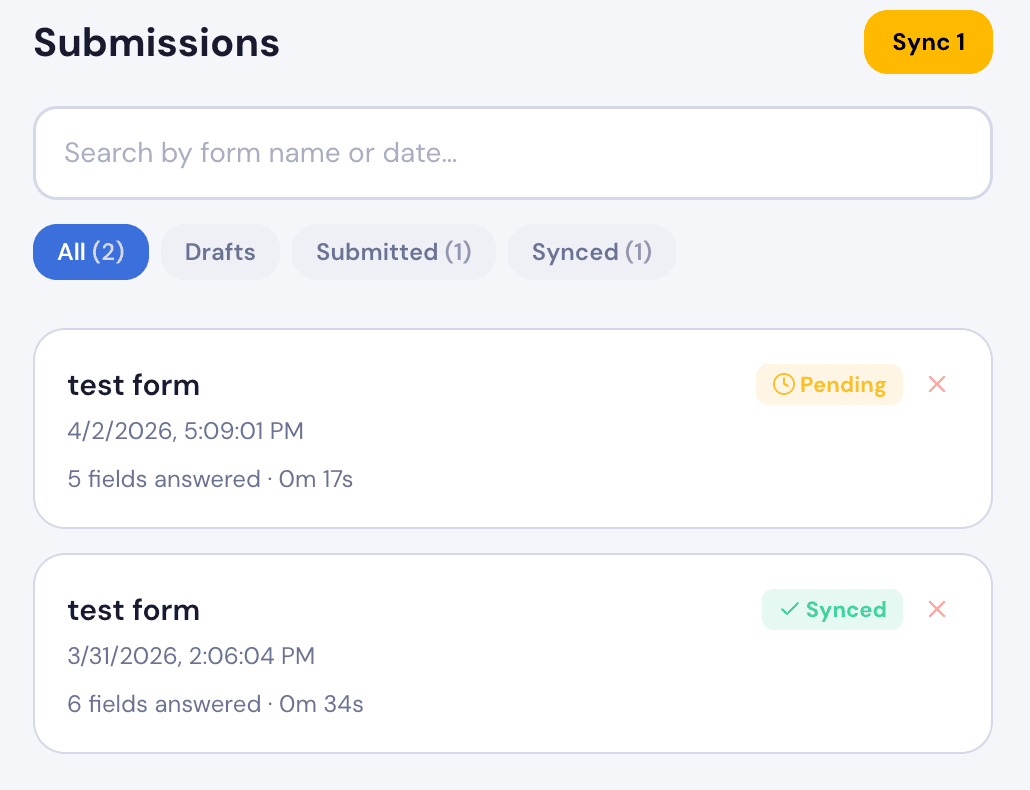
- Offline workflow details — which devices your team will use, how templates are cached, and what happens when sync is delayed
- Template build effort — how long your first real PDF/template conversion takes, not just a demo form
- Integration scope — which connectors are included in Starter and which require Enterprise
Those questions are more useful than generic review quotes, because the answer depends heavily on your forms, user count, and integration needs.
Who Should Choose Which?
Choose GoFormz if:
- Your assignments need complex automated approvals and enterprise integrations
- You need your digital forms to look identical to existing paper forms (template overlay)
- Your workflows require multi-step approvals and automated routing
- You need native integrations with SharePoint, Salesforce, or Box
- You're in a regulated industry that requires specific form layouts
- Budget is not your primary concern
Choose MobileForm if:
- You're a small team (1–20 people) that needs offline forms now
- You want a free plan that's actually useful
- You don't want to install or manage native apps on every device
- Your team isn't technical — you need something anyone can pick up in 5 minutes
- Budget matters — you want core features at a fair price
- You need to generate PDF reports on-site without internet
- You want Team dispatch with prefilled forms and unlimited field workers
- You work across different devices (phones, tablets, laptops)
The bottom line: GoFormz is a strong platform for teams that need template overlays, workflow automation, and deeper integrations. MobileForm is a simpler, lower-cost fit for small teams that need offline forms in the browser, useful free usage, and fast setup.
Try MobileForm Free
MobileForm's free tier gives you everything you need to see if it's right for your team:
- 3 forms with core fields including text, number, date, photo, GPS, and signature
- 50 submissions/month with full offline support
- Photo capture with automatic compression
- GPS tagging on every submission
- Digital signatures for approvals
- PDF export generated on-device
- No app download — works in any browser
- No credit card required
Set up your first form in under 5 minutes.
Ready to try MobileForm?
Free offline form builder for field teams. No app install needed.
Get started freeMore from the blog
The 5 Best GoFormz Alternatives in 2026 (Compared)
The best GoFormz alternatives for 2026, compared on price, offline support, and setup: MobileForm, Appenate, TrueContext, Fulcrum, and Procore Forms.
FeatureDispatch Inspections to Your Field Crew: New in MobileForm
Send forms to field workers, prefill dispatcher-only fields, and track jobs with offline submit, cancellation, reassignment, and email and phone notifications.