Free contractor timesheet template.
Record time on site for one worker and one day, split into regular time and overtime, with the work performed and a supervisor sign-off. Start with a printable PDF or an Excel workbook that adds up the hours.
Free downloads. No signup required.
Customize in MobileForm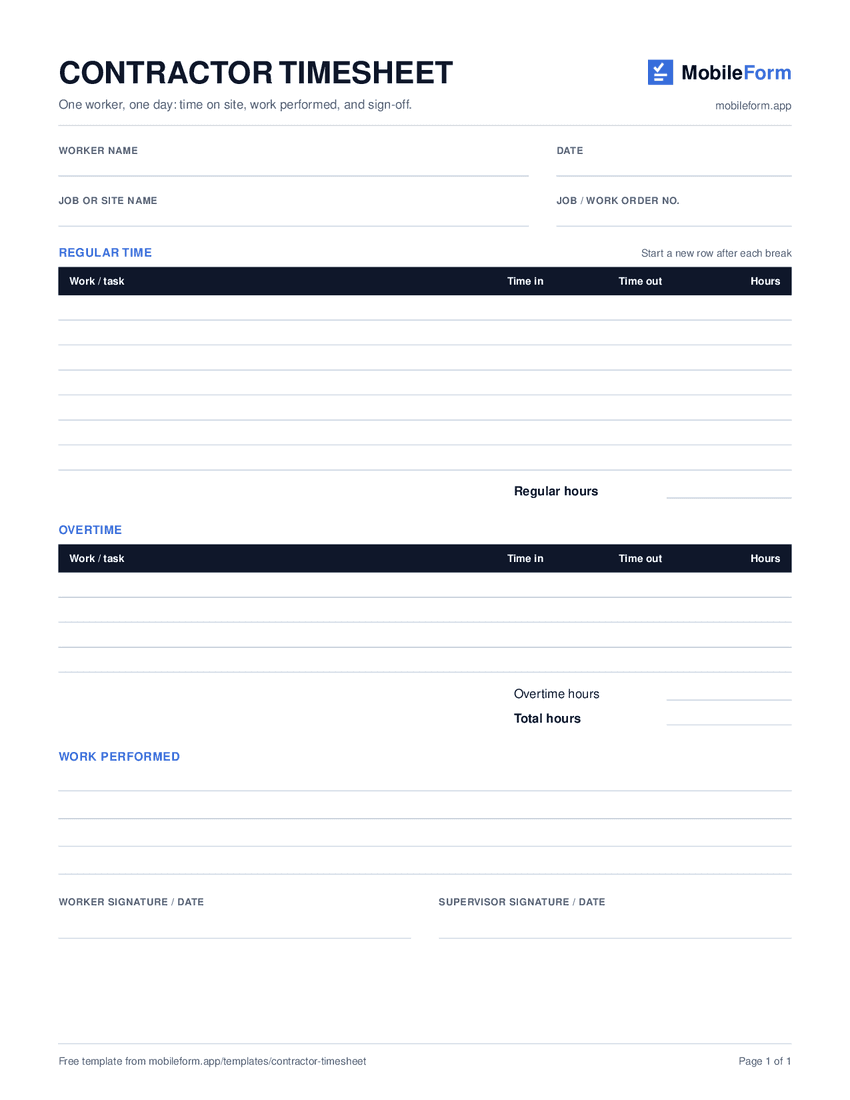
One-page US Letter PDF · ready to print
What’s included
Hours the office can check.
Use it for a crew member on a job site, a subcontractor billing hours to a general contractor, or a technician on a service call. Each sheet covers one worker on one day, so it lines up with the job it belongs to.
The PDF is a simple paper timesheet. The Excel version works out the hours from each time in and time out, then totals regular time, overtime, and the day.
- 01
Worker and job
Worker name, date, job or site name, and the job or work order number the hours belong to.
- 02
Regular time
A row for each stretch of work. Start a new row after lunch or a parts run, so breaks are not counted.
- 03
Overtime
Separate rows for hours past the regular shift, so overtime never gets mixed into the regular total.
- 04
Work performed
What got done, in a few lines, so the hours have a reason next to them.
- 05
Sign-off
Worker and supervisor signatures with dates.
Completed example
A day with overtime, filled in.
This fictional example records an electrician's day on a warehouse lighting retrofit: two regular sessions around a lunch break, then an hour and a half of overtime to finish the last row. Download the MobileForm PDF report to see the hours, a demo photo with its time and location line, and clearly labeled demonstration signatures.
Download completed exampleTimesheet J-2318
Warehouse lighting retrofit
Fictional example · regular time and overtime
| Session | Time | Hours |
|---|---|---|
| Morning | 7:00 to 11:45 AM | 4h 45m |
| Afternoon | 12:15 to 3:30 PM | 3h 15m |
| Overtime | 3:30 to 5:00 PM | 1h 30m |
| Total | 9h 30m | |
Let the phone keep the time.
Open the ready-made timesheet in MobileForm and save it. On site, the worker taps Start timer on arrival and holds the stop button when they leave, so a bump in a pocket cannot end the session. Locking the phone does not stop it either. Lunch is just a second session. Each site photo records whether it came from the camera or the library, when it was taken, and where, if the phone allows location. A worker who forgets to start or stop the timer can correct it with a reason, and the submission keeps the original times next to the change.
Customize in MobileForm- Regular time and overtime timers, with corrections allowed
- Site photos that record time and location
- Worker and supervisor signatures
- Offline capture after opening the saved form online
On Pro, tap Share on a submitted timesheet to email your manager or client a review link. They can approve and sign it without an account.
Free includes 3 forms, 50 submissions per month, and up to 5 photos per submission. Team adds assignments with prefilled job details. Compare plans.
Templates and practical guides
Timesheets with a time and place on every photo
How the labor timer and photo location settle "what time did you get there?"
Field service reports and work orders
See how assignments become completed records with photos and customer sign-off.
Free work order template
Job details, parts and labor, completion notes, and customer sign-off.
Contractor timesheet questions
Is the contractor timesheet template free?
Yes. Download the blank PDF, Excel workbook, and completed example without signing up, and reuse them for your own crew.
How does the Excel version calculate hours?
Type each time in and time out, like 7:00 AM. The Hours column works out the difference, including a row that runs past midnight, and the sheet totals regular time, overtime, and the day. A row with only one time shows Enter both times until it is complete.
How do I record lunch and other breaks?
End the row when the break starts and begin a new row when work picks up again. Break time never sits inside a row, so it is not counted. In MobileForm, stop the timer for the break and tap Add session when work resumes; each session adds to the total.
Why are regular time and overtime separate?
Overtime is usually paid or billed at a different rate, so it is easier to check when it is never mixed into the regular total. In MobileForm they are two separate timers, and the PDF shows each total on its own line.
What do the photos prove?
Each photo records whether it was taken with the camera or picked from the library, and when. With location allowed on the phone, it also records where, with a map link in the report. It is a clear record of time and place, not tamper-proof evidence: like any web app, MobileForm labels where a photo came from but cannot certify it.
How many timesheets fit on the Free plan?
Free includes 50 submissions per month. One worker filling a daily timesheet on weekdays uses about 22, so Free covers one or two people. Pro has unlimited submissions, and Team adds assignments for a whole crew.