No Signal in the Mechanical Room? Submit Anyway.
Fill out and submit a form with zero bars. MobileForm saves it on the phone and uploads it, photos and all, as soon as the signal comes back. No Sync button, no retyping.

The Problem: Two Bars in the Parking Lot, None in the Basement
The inspection happens where the equipment is: a mechanical room under a parking garage, a crawlspace, a rooftop unit behind a concrete parapet. The form is done, the tech taps Submit, and the app spins.
So they walk back to the truck, hold the phone up, and hope it went through. Or they write it on paper and type it in later, which is how the paperwork piles up in the first place.
What Happens When You Tap Submit With No Signal
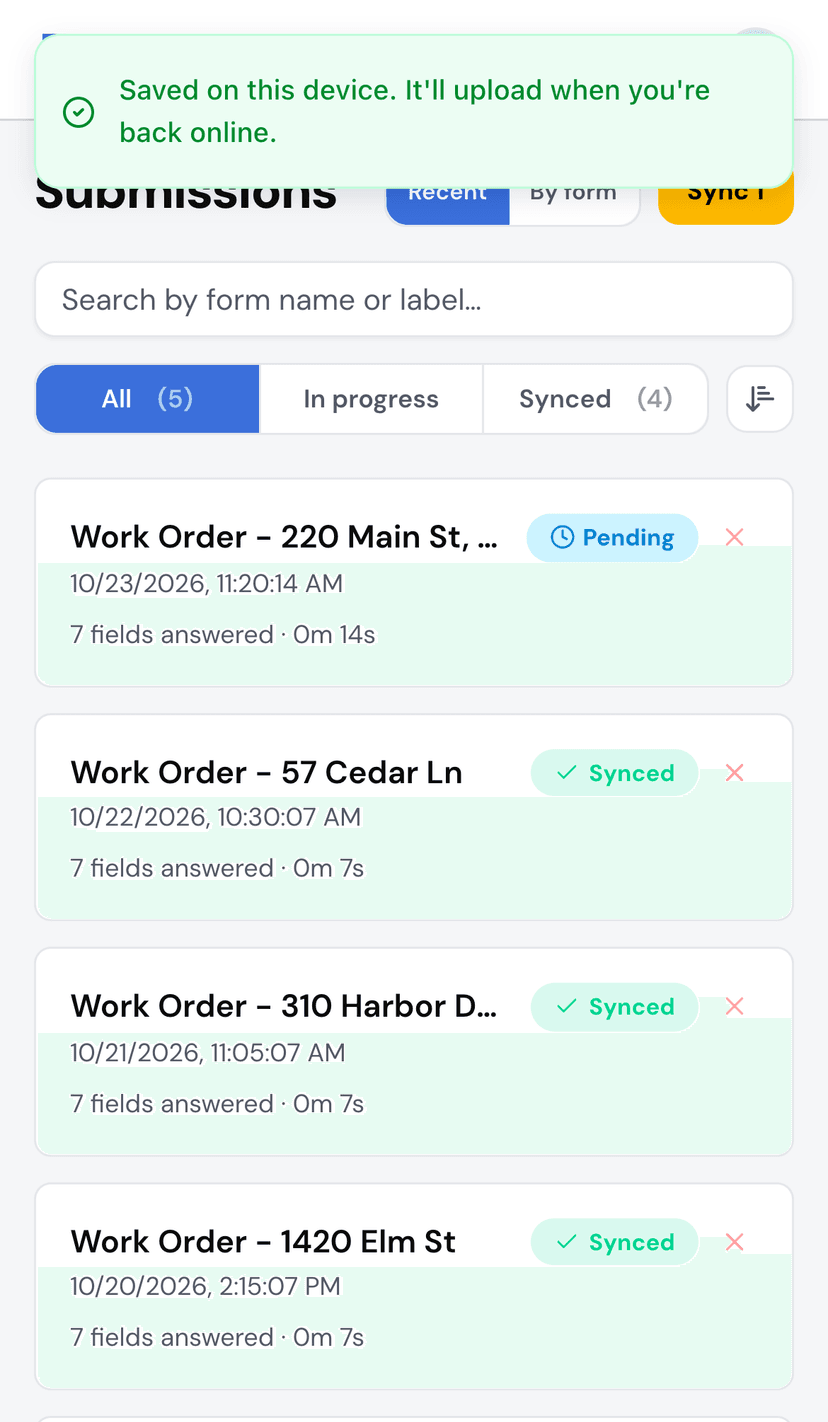
In MobileForm, Submit works the same with or without signal. The submission is saved on the phone right away, photos and signatures included, and the app says so:
Saved on this device. It'll upload when you're back online.
The submission shows as Pending in the Submissions list, and the dashboard counts what is waiting. The tech can move on to the next job.
Then It Uploads on Its Own
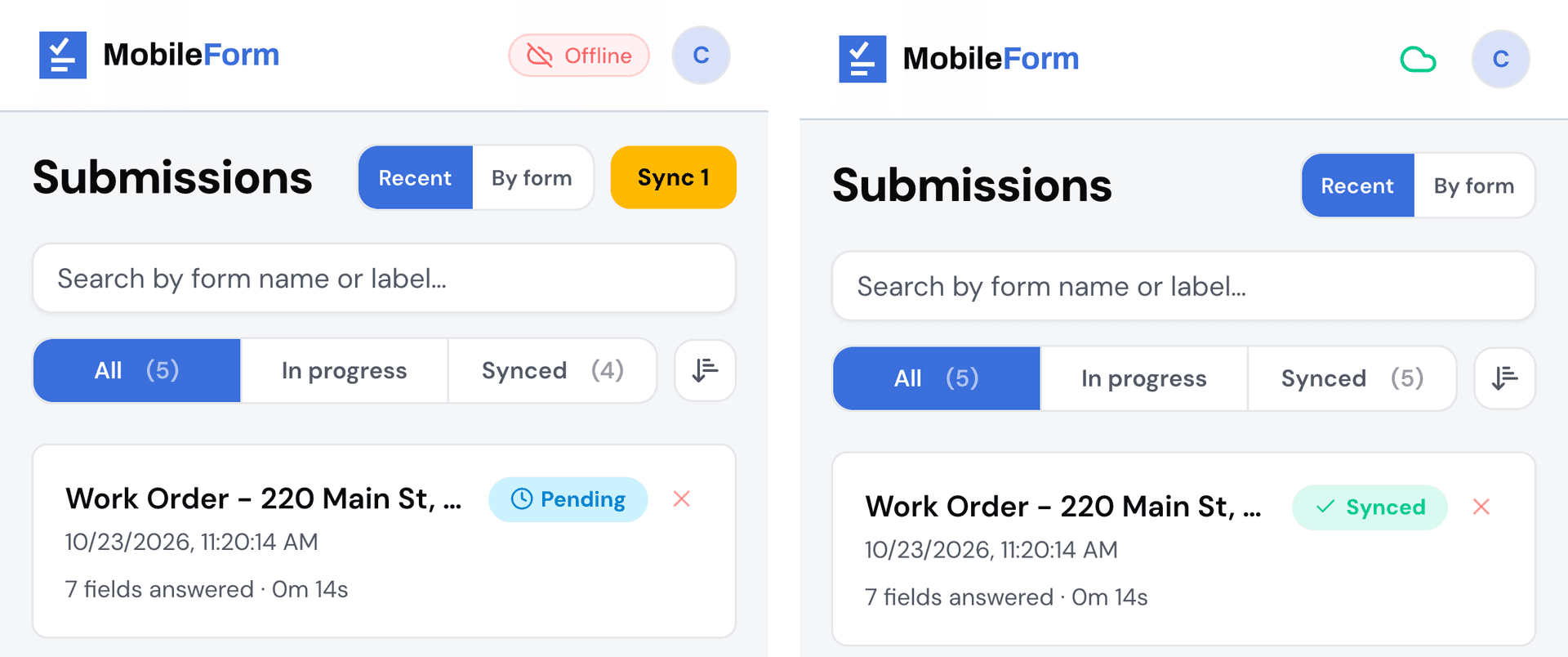
Nobody has to remember to tap a Sync button. MobileForm uploads waiting submissions:
- as soon as the phone reconnects,
- when the app is opened,
- and every minute while it is open and online.
If an upload fails partway, it tries again every 15 minutes until it goes through, and the submission stays on the phone the whole time. Pending turns into Synced, and the submission is in the office's list.
The Office Gets the PDF Without Asking
If the form has Email PDF on submit turned on, the PDF report goes to the addresses on the form, up to 10, as soon as the submission uploads.
So the tech submits in the basement, walks out to the truck, the phone finds signal, and the report lands in the office inbox. Nobody on the crew has to send anything.
Turn it on in the form builder under After submission. It is on every plan.
Before You Head Out
Two things make the first offline job go smoothly.
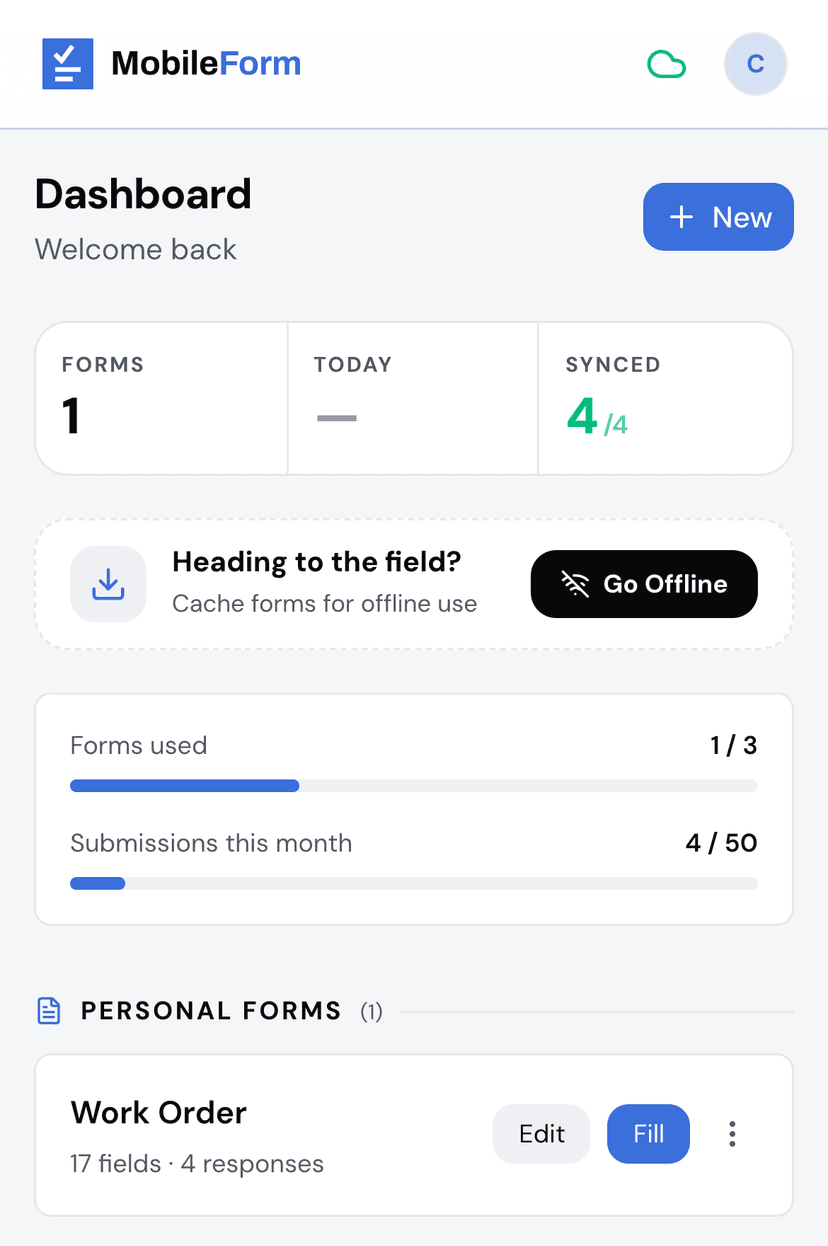
Tap Go Offline on the dashboard while you still have signal. It downloads your forms and the pages the app needs, so everything opens with no connection. MobileForm also does this in the background after you sign in, but tapping it before you leave is the sure way.
Install MobileForm on your home screen. Safari can delete a website's saved data after about a week without a visit. The home screen app is exempt, so offline drafts and waiting submissions stay put. The install guide takes under a minute.
What Works Offline, and What Waits for Signal
Works with no signal: filling and submitting forms, saving and resuming drafts, photos, signatures, the labor timer, your submissions list, and even building or editing a form.
Waits for signal: the upload itself, the emailed PDF, Google Sheets rows, and share links. They all happen on their own once the submission uploads.
One note on photo location: it needs a GPS fix, and a basement may not give you one. The photo is still saved with the time it was taken.
Try It in Airplane Mode
Pick a template, like the work order, HVAC maintenance checklist, or roof inspection checklist, and open it in MobileForm. Tap Go Offline, then turn on airplane mode and fill it out. Submit, turn airplane mode off, and watch Pending turn into Synced.
Ready to try MobileForm?
Free offline form builder for field teams. No app install needed.
Get started freeMore from the blog
How to Collect Field Data Without Internet in 2026
How offline field data collection apps work, why they matter for remote teams, and how to set up a workflow that syncs when crews reconnect.
GuideInstall MobileForm on Your Phone (No App Store Needed)
Add MobileForm to your home screen in under a minute. Step-by-step instructions for iPhone and Android, plus why installed beats a browser tab for offline work.